What it is#
Seven Excel workbooks and one browser page, for a small manufacturing business. Production, costing, sales, receivables, purchasing, maintenance, people and cash — each in its own file, all reading from each other, with one page on top that shows the whole business at a glance.
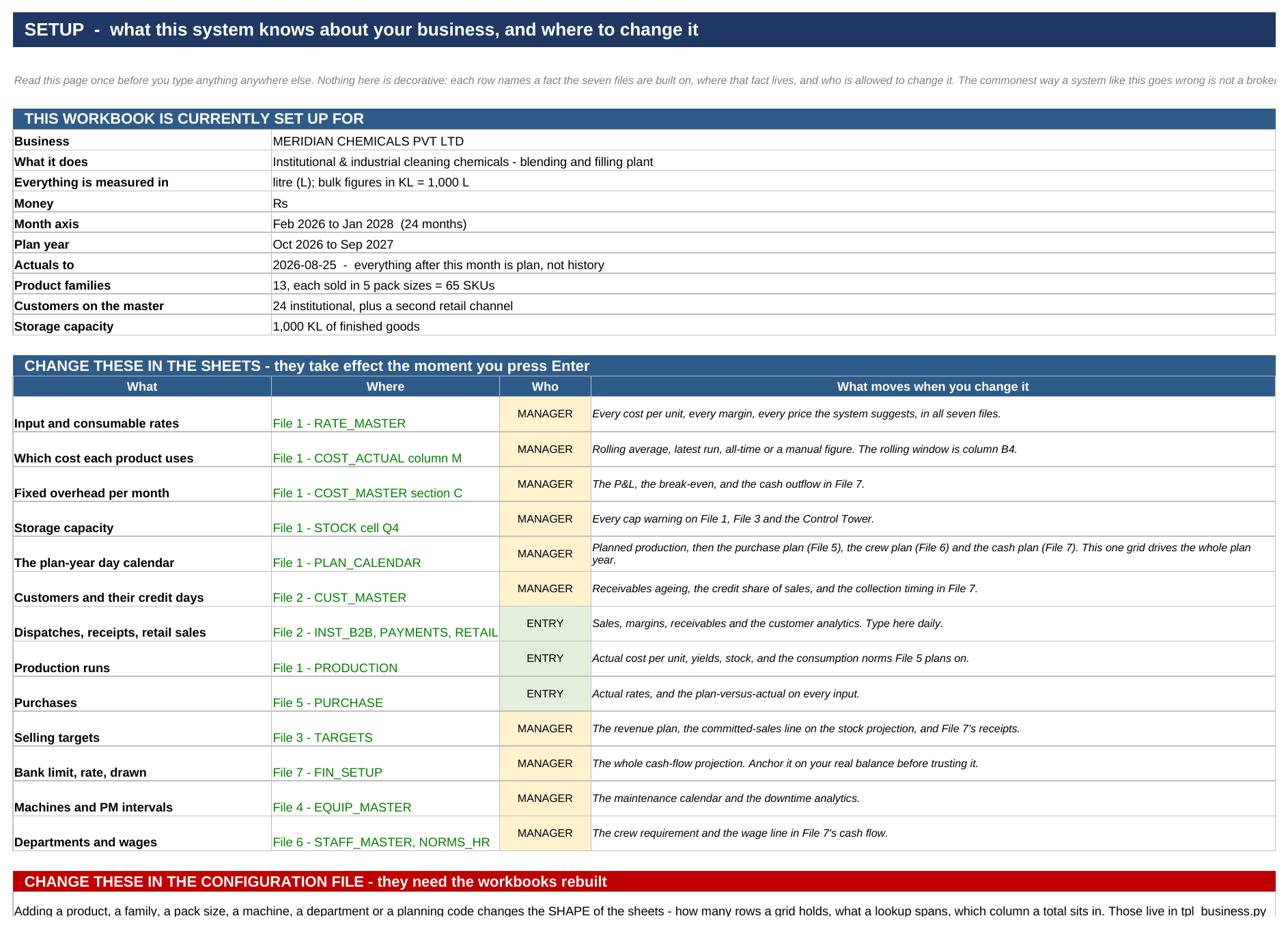
It is the system I built to run a plant, emptied out. The starter edition arrives with every master pre-loaded with an overwritable example and every transaction sheet blank. The worked example is the same system with seven months of a fictional chemical blending company in it — 1,066 dispatch lines, 183 production runs, 784 receipts and 29 months of bank statement — so you can learn to read it before you trust it with your own numbers.
The three colours#
Every sheet uses the same convention, and once you know it you can read any of them. Blue on yellow is a number somebody typed. Black is calculated in that sheet. Green is pulled from another sheet or another file. If a figure looks wrong, its colour tells you where to go and argue with it.
Live, with a fallback#
Every cross-file reference is written twice: as a live link, and as the value that link last returned. Open one file on its own and it still shows you something sensible. Open them together and everything is current. That is also why the eight files have to stay in one folder.
Your first week, in eight steps#
Each one makes the next worth doing, and none of them needs more than an hour.
1. Change the three passwords. Every sheet is protected, and there are three roles — entry, manager, owner. The passwords as shipped are printed on the ACCESS sheet inside each workbook; change them before the files reach anyone else.
2. Put your own rates in — File 1, RATE_MASTER. Every input you buy, every utility, every packing material and consumable. Until these are yours, every cost and every price the system suggests, in all seven files, is an example rather than a number.
3. Enter your customers and their credit days — File 2, CUST_MASTER. The credit days drive the whole receivables ageing, so wrong terms means a wrong cash forecast.
4. Log one month of production runs — File 1, PRODUCTION. One month is enough to start costing from your real yields, and it seeds the consumption norms File 5 plans purchasing on.
5. Log the same month’s dispatches and receipts — File 2. Now the margins, the receivables and the customer analytics are real.
6. Load your bank statement into File 7. It stops assuming an interest rate and starts measuring the one you were actually charged.
7. Set the plan year — the production plan in File 1 and the selling targets in File 3. The projection is now yours.
8. Ask your ten largest customers for a statement and type their closing balances into File 2. This is the step everybody skips, and it is the one that finds money.
Honest limits#
It is not accounting software and will not replace your books. It is not multi-user — one person has it open at a time. It is not real time. It does not model work in progress, and it assumes a single plant. Both editions are verified on build: zero formula errors across all seven workbooks, every cross-file link matching its stored fallback, every sheet protected. That is a claim about correctness, not about scope.